Generate, don't draft

Import a CabSlam parts list and every panel, drawer box, and door lands in your drawing as a fully dimensioned 3D solid — joinery, hardware, and construction holes already cut in. No manual modeling, no redrawing the same box for the tenth time this week.
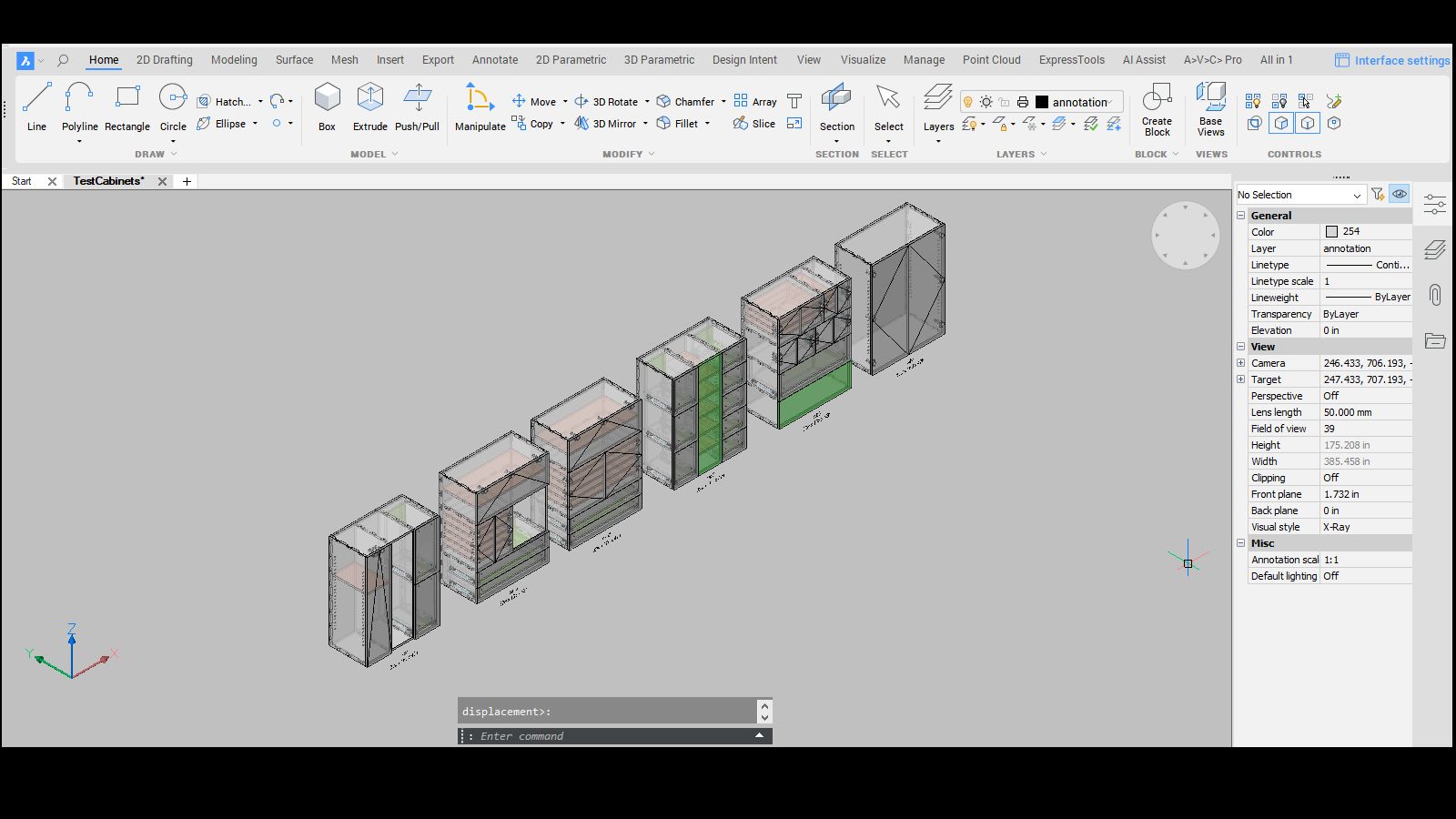
A row of CabSlam-generated cabinets in the BricsCAD viewport

Nest, grain-match, export

Nest 3D parts onto material sheets grouped by material and thickness, keep grain aligned across a sheet automatically, and export CNC-ready DXF files — one file per part, or a full sheet layout ready for the router.
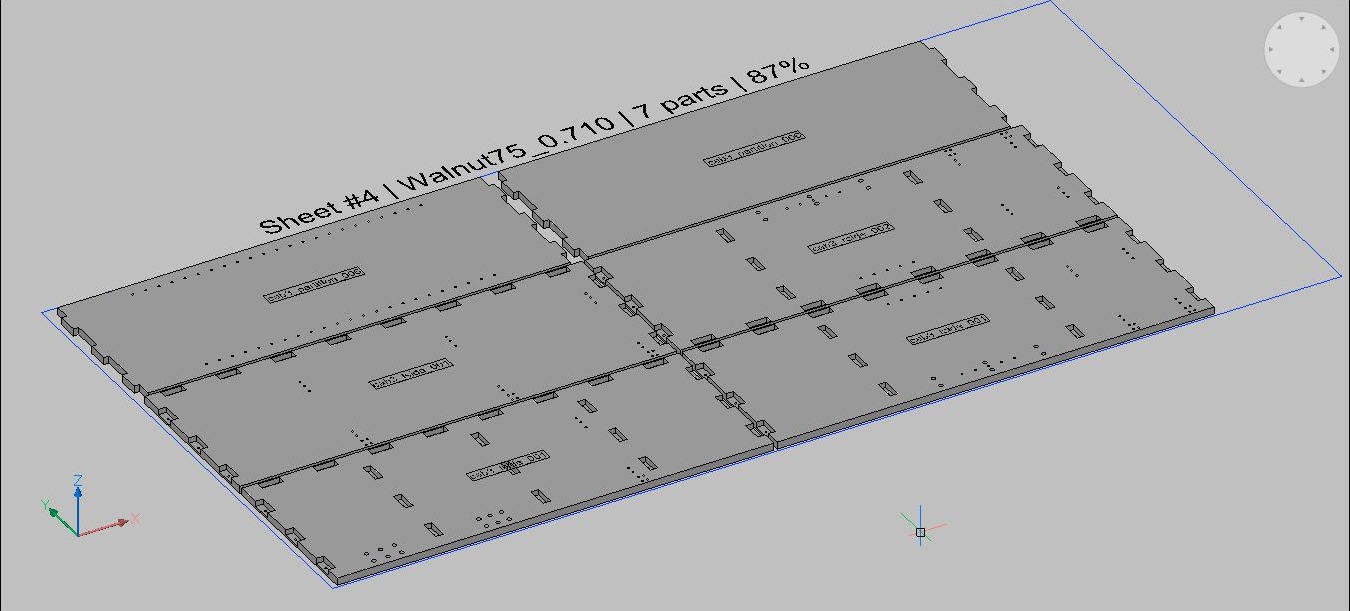
A CabSlam-nested material sheet in BricsCAD, showing 7 parts at 87% utilization

Real CAD commands, not a black box

A working set of BricsCAD commands purpose-built for cabinet production.

FN — Nest

Nest 3D parts onto material sheets, grouped by material and thickness.

GM — Grain Match

Flatten selected parts while preserving relative position so grain stays aligned across a sheet.

ED — Export DXF

Export nested parts to individual 2D CNC DXF files — one file per part.

GD — Elevation Drawings

Generate elevation drawings from selected cabinet labels.

VD — Void / Machining

Boolean-subtract construction holes and joinery from selected cabinet parts.

Full command set

Loading, nesting, CNC export, drawings, and machining commands, all documented in-app.

Ready to close the loop from spec to cut?

Start Your Free 14-Day Trial

Already on the CNC plan? Install the plugin →